Choosing the 2026 best AI training server manufacturer is not a simple logo comparison. A GPU count can look impressive, yet reveal little about sustained performance, cooling, or service support. The real test is whether a system keeps workloads moving when racks run hot and jobs run for days. Details matter.
Andrew Ng’s widely cited observation, “AI is the new electricity,” captures why infrastructure deserves careful scrutiny. It is not a server-buying rule, of course. But training depends on more than accelerators: memory bandwidth, fast networking, storage, power delivery, and software compatibility all shape results. A weak link can leave expensive GPUs waiting.
This guide examines manufacturers through practical questions: Can they configure systems for the intended models? Do they publish verifiable specifications and workload results? How clearly do they explain component choices, deployment needs, and support terms? Those questions help distinguish a capable partner from a persuasive product page. Still, rankings have limits. Results vary with model size, data pipeline, software stack, and budget, so one benchmark cannot settle every buyer’s decision. A careful comparison should make those trade-offs visible, not disguise them. Even experienced teams can overlook a constraint until installation begins. That is worth admitting. The goal here is a grounded shortlist of AI training server manufacturer options, with evidence and caveats that help readers ask better questions before committing.
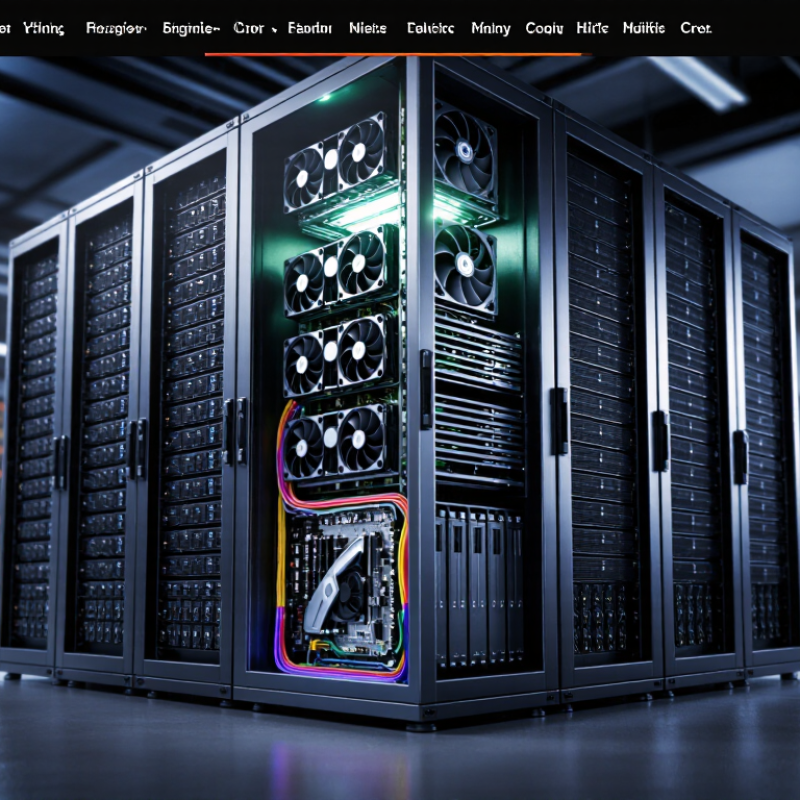
AI Training Server Basics: GPUs, HBM, Networking, and Cooling
2026 Best AI Training Server Manufacturer?
AI training servers depend on balanced components, not just GPU counts. GPUs perform parallel calculations, while high-bandwidth memory keeps model data close to the processors. Its capacity affects how much data fits at once; its bandwidth affects how quickly that data moves. These limits can shape training speed and batch size. Easy to overlook.
Networking matters when multiple servers train one model together. GPUs exchange gradients and other data during training, so slow links can leave expensive processors waiting. Compare network bandwidth, latency, and the server’s connection layout. A specification sheet may list impressive speeds, but real performance also depends on how the system is configured and tested.
Cooling and power requirements deserve equal attention. Dense GPU servers generate substantial heat, especially in a fully loaded rack. Air cooling may suit some deployments, while liquid cooling can help manage higher thermal loads. Either approach needs clear maintenance procedures and compatible facility infrastructure. Ask manufacturers for measured performance under sustained workloads, not only peak figures. I would still treat any single benchmark cautiously: software, model size, and data pipeline choices can change the result considerably.
GPU Memory as a Buying Metric: Blackwell B200 Offers 192 GB of HBM3e
When comparing AI training servers, GPU memory deserves more attention than a headline performance figure. A 192 GB HBM3e accelerator can keep more model weights, activations, and optimizer states in fast memory. That may reduce the need to split a model across devices. It can also support larger batches, depending on precision and workload. That matters.
The full 192 GB is not automatically available for model data. Runtime overhead, kernels, and temporary tensors consume memory, so engineers should test their actual training stack. A useful evaluation includes peak memory use, training throughput, and how often jobs need checkpointing. Memory capacity helps, but memory bandwidth and GPU-to-GPU communication affect how quickly that capacity can be used. A server with generous memory may still disappoint if its cooling, power delivery, or interconnect limits sustained operation.
Ask for results using a workload close to your own, not just a synthetic benchmark. Check whether the configuration supports the intended number of accelerators and whether storage can feed them steadily. Small details matter: a job that narrowly exceeds memory limits can force costly model sharding. I would also leave room for doubt—vendor test conditions rarely match every production setup.
Scale-Up Architecture: NVIDIA NVL72 Connects 72 GPUs in One Rack
Scale-up changes what a training server can be. A 72-GPU rack links its accelerators through a shared, high-speed fabric, reducing the need to move model data across separate racks. Published technical specifications for this class of system cite up to 130 terabytes per second of aggregate GPU interconnect bandwidth. That matters during large-model training, when frequent exchanges of parameters can leave processors waiting on slower links. The rack is not merely a row of powerful cards. It is a tightly connected compute system.
The benefits bring practical constraints. Dense compute produces concentrated heat, and cabling, cooling, and power delivery all need careful planning. Heat is tangible. The International Energy Agency’s Energy and AI report estimates data centres used about 415 terawatt-hours of electricity in 2024, potentially reaching roughly 945 terawatt-hours by 2030. That forecast makes efficiency a design requirement, not a bonus. A 72-GPU rack can reduce communication bottlenecks, but it cannot erase cooling costs or workload inefficiencies. In real deployments, performance still depends on software, data pipelines, and how well jobs keep all accelerators busy. Scale is impressive; utilization is less glamorous, and often the harder problem.
Manufacturer Comparison: Assess Integration, Liquid Cooling, Support, and MLPerf Results
A training server is more than a row of accelerators; it is a complete data path. Compare how each manufacturer integrates compute, memory, networking, storage, and orchestration software. Ask for a validated configuration, not just a parts list. A mismatch between accelerator memory and data delivery can leave costly processors waiting. Request a demonstration using your own container images and a representative dataset.
Liquid-cooling claims deserve inspection at rack level. Check coolant inlet range, flow requirements, leak detection, service access, and facility compatibility. A cold plate is not a cooling plan. Ask who handles commissioning and what happens during a pump or sensor fault. Even a small maintenance delay can interrupt a long training run. Support also means clear response targets, available spare parts, and engineers who understand distributed training.
Treat MLPerf results as evidence, not a verdict. Compare the exact workload, software version, accelerator count, power limits, and system configuration. A headline score may not reflect your model, data pipeline, or utilization target. Numbers need context. Request reproducible logs and note differences from the published setup. Estimate performance per watt and cost per completed training job, not peak throughput alone. The comparison can still feel incomplete; real workloads are stubbornly specific.
2026 AI Training Server Manufacturer Comparison
Compare manufacturers across four equally weighted evaluation dimensions. The chart shows suggested buyer-defined weights—not measured manufacturer scores or MLPerf results.
Assess integration, liquid-cooling design, support, and MLPerf evidence using the same criteria for every manufacturer. For MLPerf, compare published results for the same benchmark, system configuration, and submission category; lower training time is better when the target quality and benchmark conditions match.
Choosing a 2026 Manufacturer: Match Model Size, Network Bandwidth, and Total Cost of Ownership
Choosing a 2026 AI training server manufacturer begins with the model, not the largest available GPU count. Estimate parameter size, sequence length, batch size, and optimizer memory; training needs can differ sharply from inference. For a 70-billion-parameter model, memory requirements depend on precision, parallelism, and optimizer state. Ask for measured throughput on a comparable workload, not just peak-performance figures. Numbers need context.
Network bandwidth matters when GPUs exchange gradients or model data. A fast accelerator can sit underused if links between servers become a bottleneck. Compare network speed, switch capacity, topology, and latency against your planned training approach. A 400 Gb/s connection may suit some clusters, but it is not automatically the right choice. Test scaling across several nodes before committing to a full rack.
Total cost of ownership includes more than purchase price. Include electricity, cooling, network equipment, maintenance, and expected utilization over several years. Request power figures under a realistic workload, plus clear service and parts terms. I would challenge any estimate that assumes every accelerator stays busy; queues, debugging, and data preparation reduce utilization. Not always. A slightly smaller system may deliver better cost per completed training run, though that depends on workload and staffing. Keep room for change, but price the upgrade path carefully.
2026 Best AI Training Server Manufacturer? — Choosing a 2026 Manufacturer: Match Model Size, Network Bandwidth, and Total Cost of Ownership
A brand-neutral comparison of representative AI training server configurations
| Deployment profile |
Accelerator configuration |
Indicative model workload |
Recommended network |
Estimated peak system power |
Indicative hardware purchase range |
Estimated 3-year TCO |
| Compact single-node training |
4 accelerators, approximately 48 GB memory each; 192 GB aggregate accelerator memory |
Fine-tuning and smaller-scale training; roughly 7B–13B parameter models, depending on precision, sequence length, and optimizer setup |
100–200 Gb/s host networking; high-speed intra-node accelerator interconnect recommended |
Approximately 3–5 kW |
US$90,000–170,000 |
US$115,000–220,000 |
| General-purpose 8-accelerator node |
8 accelerators, approximately 80 GB memory each; 640 GB aggregate accelerator memory |
Full-parameter or substantial fine-tuning workloads for approximately 30B–70B models with suitable sharding; capacity depends on training configuration |
200–400 Gb/s per node for distributed training; use a low-latency fabric for multi-node jobs |
Approximately 6–10 kW |
US$220,000–400,000 |
US$280,000–500,000 |
| High-memory 8-accelerator node |
8 accelerators, approximately 120–140 GB memory each; 960 GB–1.12 TB aggregate accelerator memory |
Larger model training, longer-context experiments, or larger per-device batches; supports more memory-intensive setups than lower-memory nodes |
400 Gb/s per node is a strong starting point; consider 800 Gb/s-class connectivity for demanding multi-node scaling |
Approximately 7–11 kW |
US$320,000–580,000 |
US$400,000–720,000 |
| Two-node distributed cluster |
2 nodes, each with 8 accelerators of approximately 80 GB memory; 16 accelerators total |
Distributed training for models that exceed practical single-node memory or throughput limits; commonly considered for 70B+ workloads, subject to parallelism and precision |
At least 400 Gb/s per node with a non-blocking, low-latency fabric; evaluate collective communication performance |
Approximately 12–20 kW total |
US$440,000–800,000 |
US$560,000–1,000,000 |
| Four-node scale-out cluster |
4 nodes, each with 8 accelerators of approximately 80–140 GB memory; 32 accelerators total |
Large-scale distributed training and higher aggregate throughput; suitable model size depends heavily on parallelism strategy, dataset pipeline, and cluster utilization |
400–800 Gb/s per node; size the switch fabric for required bisection bandwidth and avoid oversubscription for communication-heavy jobs |
Approximately 24–44 kW total |
US$900,000–2,300,000 |
US$1,150,000–2,850,000 |
Planning assumptions: Figures are indicative 2026 budget ranges, not vendor quotations or guaranteed market prices. Three-year TCO includes estimated hardware, typical support and deployment allowances, and electricity at US$0.12/kWh with a data-center PUE of 1.3 and approximately 70% average utilization. It excludes staffing, software licensing, financing, taxes, facility construction, and major network or cooling upgrades. Model capacity varies with numerical precision, context length, optimizer states, parallelism, and software stack; validate the intended workload with a representative benchmark before purchase.
FAQS
It connects many accelerators inside one rack through a shared, high-speed fabric. A 72-GPU rack can reduce data transfers between separate racks. It becomes one tightly connected compute system.
Published specifications cite up to 130 terabytes per second of aggregate GPU interconnect bandwidth. That is a peak figure, not a promise for every workload. Numbers need context.
Large models often exchange parameters repeatedly. Faster links can reduce waiting during those exchanges. But software and data delivery still matter.
Dense compute produces concentrated heat and requires careful power, cabling, and cooling plans. Facility capacity matters. Heat is real.
Review compute, memory, networking, storage, and orchestration together. Request a validated configuration, not just a parts list. Test your container images and a representative dataset.
Check coolant inlet range, flow needs, leak detection, service access, and facility compatibility. Ask who handles commissioning and pump or sensor faults. A cold plate is not enough.
Compare the workload, software version, accelerator count, power limits, and system setup. Request reproducible logs. A headline score may not match your model.
Measure performance per watt and cost per completed training job, not peak throughput alone. Track whether jobs keep all accelerators busy. Utilization is easy to underestimate.
Confirm response targets, spare-parts access, and experience with distributed training. Ask how a maintenance delay could affect a long run. I might overlook that detail.
Conclusion
Choosing the right ai training server manufacturer in 2026 requires looking beyond processor specifications. Training performance depends on the balance of GPUs, high-bandwidth memory, interconnects, networking, and cooling. Memory capacity is especially important for fitting large models and reducing the need to split workloads; some current accelerators offer 192 GB of HBM3e. For larger deployments, rack-scale designs can connect as many as 72 GPUs, making high-speed communication between accelerators a key consideration.
Compare manufacturers on system integration, liquid-cooling capability, technical support, and independently measured workload performance, not just peak specifications. Then match the server’s memory and network bandwidth to your model size and training needs. Finally, assess total cost of ownership—including power, cooling, deployment, and ongoing support—to identify a system that delivers reliable performance and value over its useful life.

 Aiserveroem